



2022-05-18
Atonm Metal Double-Sheet Detector — Installation and Commissioning
Step 1: Assembly.
1. Probe installation
Fix the M12 probes to the bracket with the supplied M12 nuts. Keep probe spacing between 10 and 30 mm.

2. Main unit wiring
Connect each probe (red, blue, black), RS-485 and 24V to the rear terminals of the main unit. Connect the other end of RS-485 to the host RS-485 interface.

Step 2: Basic Operation.
1. Main unit operation
(1) Learning mode
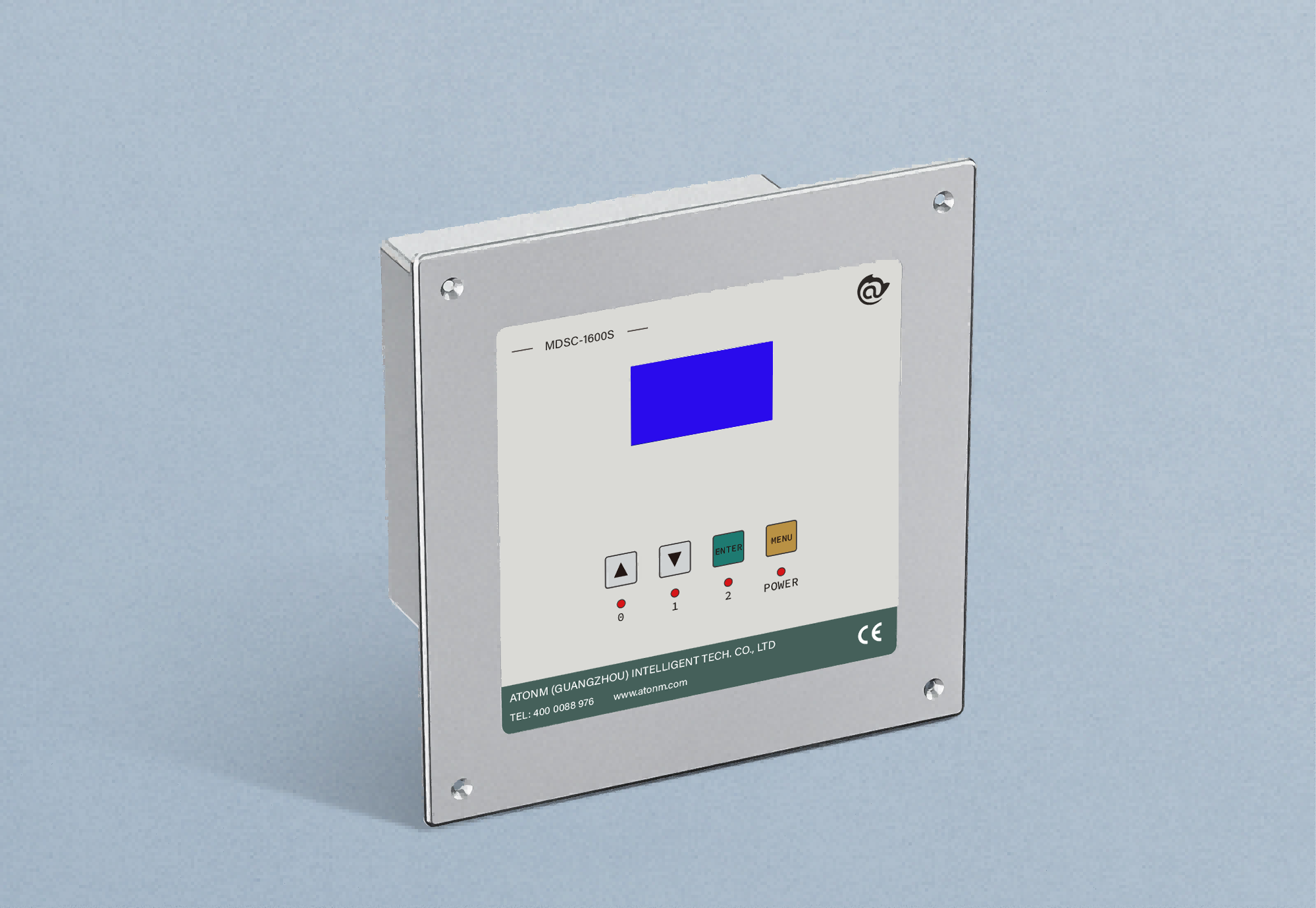
Automatic learning: Press and hold the confirm key for 3 seconds. When the screen turns on, press the automatic learning key. When the single-sheet indicator lights, place a single sheet centered between the probes (fully covering the probe and as level as possible). Then short-press the "Single-sheet Set" key. When the zero, single and double indicators stop flashing and only the double indicator remains lit (single-sheet learning is complete), remove the single sheet. Place two sheets between the probes, then short-press the "Double-sheet Set" key. When zero, single and double indicators are all lit and not flashing (double-sheet learning is complete), remove the double sheets. Short-press the "Zero-sheet Set" key — the zero indicator will flash. Press Confirm to complete learning. Press and hold Exit for 3 seconds to leave learning mode.

(2) Manual learning: Press and hold the confirm key for 3 seconds. When the screen turns on, short-press Confirm once; the single-sheet value will flash. Use the "+" and "-" keys to adjust. Short-press Confirm twice and the double-sheet value will flash; adjust with "+" and "-". Short-press Confirm three times and the memory group value at the lower-right will flash; adjust with "+" and "-". Short-press Confirm once to confirm learning is finished. Press and hold Exit for 3 seconds to leave learning mode.

(3) Engineering mode
Press and hold the "+" and "-" keys together for 3 seconds. When the screen turns on, "single-sheet" represents filter time and "double-sheet" represents output time. Short-press Confirm once to make the single-sheet value flash, adjust with "+" and "-". Short-press Confirm twice to make the double-sheet value flash, adjust with "+" and "-". Short-press Confirm once to confirm and press and hold Exit for 3 seconds to leave engineering mode.

2. Touchscreen operation (communication version)
(1) Main screen: single-sheet value (read-only), double-sheet value (read-only), current value (read-only), channel value (read-only), amplitude value (read-only), memory group switch (read/write).

(2) Learning mode: From the working mode screen, select Learning Mode to enter the learning interface; the screen shows standby.
Automatic learning: Place one sheet centered between the probes (covering the probe and level). Press Single-sheet Learning; wait for the screen to indicate single-sheet learning completed and remove the sheet. Place two sheets centered between the probes and press Double-sheet Learning; wait for completion and remove the sheets. Press Zero-sheet Learning and wait for completion. Automatic learning is then finished. Press Working Mode to exit learning mode.
Manual learning: In Learning Mode, tap the single-sheet and double-sheet input fields on the interface and enter the corresponding values to complete manual learning. Press Working Mode to exit.

(3) Engineering mode:
From Working Mode, select Engineering Mode to enter the engineering interface. Tap the single-sheet field (filter time) and the double-sheet field (output time) and enter the desired values. Press Working Mode to exit engineering mode.
In Engineering Mode, press the "Restart" button to reboot the main unit program.
Atonm Metal Double-Sheet Detector product series:
1. Metal Double-Sheet Detection Controller MDSC-900E — Basic

An economical double-sheet detection solution for common metal feeding processes, protecting dies and reducing production costs.
High reliability: MultisCom optimized algorithm, anti-interference circuitry and patented full-metal housing design.
Detection thickness: Fe, Cu, Ni, stainless steel 0.05-2.5 mm; aluminum 0.1-8 mm.
Response speed: 200 pcs/min
Mounting distance: 30-50 mm
Double-sheet output: NPN, PNP switch output
2. Metal Double-Sheet Detection Controller MDSC-1000B — Enhanced

High accuracy, high speed and strong anti-interference. Self-learning mode does not require thickness setting or material distinction; commissioning completes in four steps. Suitable for home appliance, automotive, PCB, metal coating and metal packaging industries.
High reliability: MultisCom optimized algorithm, anti-interference circuitry and patented full-metal housing design.
Detection thickness: Fe, Cu, Ni, stainless steel 0.05-4.5 mm; aluminum 0.1-40 mm.
Response speed: 1200 pcs/min
Mounting distance: 30-50 mm
Double-sheet output: NPN, PNP switch output
3. Metal Double-Sheet Detection Controller MDSC-1000C — Communication Version

Designed for highly integrated automated production lines. Built-in MODBUS-485 communication module supports external touchscreen control and connection to PLC/MES/ERP systems for automated process distribution and seamless material switching to improve automation.
Detection thickness: Fe, Cu, Ni, stainless steel 0.05-4.5 mm; aluminum 0.1-40 mm.
Response speed: 1200 pcs/min
Mounting distance: 30-50 mm
Double-sheet output: NPN, PNP switch output
Built-in MODBUS-485 communication module
4. Metal Double-Sheet Detection Controller MDSC-800E

Specialized for small sheets, thin materials and some special materials; suitable for metal packaging sheet detection.
Detection thickness: Fe, Cu, Ni, stainless steel 0.05-1.5 mm; aluminum 0.1-8 mm.
Response speed: 600 pcs/min
Mounting distance: 30-50 mm
Double-sheet output: NPN, PNP switch output
5. Metal Double-Sheet Detection Controller MDSC-1000L — Lithium Battery Version

A lithium-industry version equipped with customized M12 small probes. Developed for overlapping issues in copper and aluminum tabs used in lithium battery welding; effectively detects overlapping and mixed copper/aluminum sheets.
Detection thickness: 0.01-1 mm (Cu, Ni, Al)
Mounting distance: 30-50 mm
Double-sheet output: NPN, PNP switch output
6. Metal Double-Sheet Detection Controller MDSC-8000S — Single-Sensor

Uses a high-power Single-Sensor design to solve installation constraints of Dual-Sensor sensors and avoid interference with part transfer. Improves robot handling capabilities and suits automotive, home appliance and laser stamping/stretching/welding parts.
Detection thickness: 0.1-3 mm (Fe, Cu, Ni, stainless steel)
Response speed: 200 pcs/min
Mounting distance: 30-50 mm
Double-sheet output: NPN, PNP switch output
Built-in MODBUS-485 communication module
You May Be Interested
-
Atorm has been awarded ISO three system certification, safeguarding quality and sustainable development with international standards
2026-10-12
-
Atonm MDSC-9000T Dual-Channel, Single-Sensor Metal Double-Sheet Detector
2025-12-05
-
Non-Contact “One-to-Four” Double-Sheet Detector 1600S: A New Cost-Reduction and Efficiency Solution for Stamping Lines
2025-11-20
-
Provincial Auto Industry Research Tour | Atonm Engages with the Automotive Supply Chain, Empowering Smart Manufacturing through Sensors
2025-10-11